A writer’s worst nightmare isn’t always a blank page. It’s publishing something you thought was clean, only to find a chunk of it exists elsewhere, word for word, or worse, reworded just enough to feel “new”.
Plagiarism risk isn’t always theft. It can be messy notes, half-remembered lines, common phrases that slipped in, or an AI paraphrase that kept the skeleton of someone else’s argument. Even honest writers can end up with borrowed sentences clinging to their work like burrs on a sock.
A plagiarism checker is less about fear and more about trust. Trust with readers, clients, editors, universities, and search engines. It protects your name, your income, and your credibility, whether you’re writing from India for a global audience, or anywhere else.
This guide compares the best plagiarism checker for writers in 2025 using plain criteria: accuracy, ease of use, quality of reports, privacy, and price, with practical advice you can apply to blogs, essays, books, newsletters, and client work.
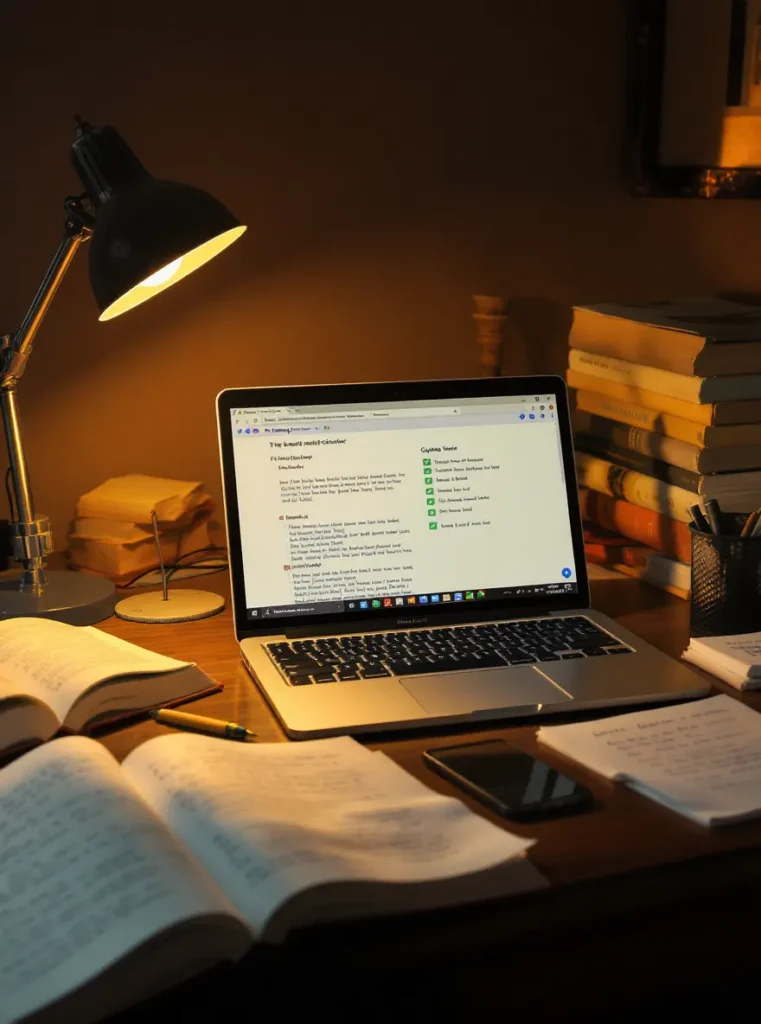
What writers should look for in the best plagiarism checker
A good tool doesn’t just shout “plagiarised” and walk away. It helps you fix problems, fast, without turning your writing into stiff, over-edited mush.
Here’s a quick checklist that matches real writing life:
- Strong detection for copy-paste and paraphrased matches
- Clear sources (you need to see where it matched, not just a score)
- Readable highlights that show exact matched text
- Filters for quotes, citations, and bibliography (so the tool doesn’t punish honest referencing)
- Exports (PDF, shareable report, or link), useful for client hand-offs and academic submission
- Decent limits for long pieces (books, reports, dissertations)
- Fair pricing that matches your workload (one-off scan vs monthly plan)
- Privacy controls, especially for unpublished drafts and client material
No tool is perfect. Treat results as a signal, not a verdict. Your judgement still matters, and so do citations. If you’re unsure what counts as plagiarism in academic settings, it helps to read how testing-led sites frame it, such as Scribbr’s work on best free plagiarism checkers and detection limits.
Accuracy that catches paraphrasing, not just copy and paste
The easy stuff is obvious: lifted lines, identical paragraphs, the same headline with the same rhythm. The harder stuff is “edited plagiarism”, when someone swaps words but keeps the structure, order, and logic.
When tools talk about “deep search”, they usually mean the checker looks beyond exact strings of words. It tries to spot patterns, close phrasing, and long sequences that match known sources.
False alarms happen too. Common reasons include:
- Stock phrases (“in conclusion”, “the results show that”)
- Titles and slogans
- Public domain text (older classics, legal templates)
- Quoted material, even when you’ve cited it
- Boilerplate (privacy policies, disclaimers, standard intros)
A quick test tip: before you commit to a tool, run two short paragraphs through it. One should include a direct quote with quotation marks and a citation. The other should be a paraphrase of a source you know well. A good checker will flag both clearly, and it won’t confuse your properly cited quote with misconduct.
Clear reports that help you fix issues fast
Writers don’t need drama. We need receipts.
A useful plagiarism report should include:
- A similarity percentage (as a rough overview, not the goal)
- The matched sources with direct links
- Highlighted overlaps so you can see exactly what triggered the match
- Options to exclude quotes and exclude bibliography/references
- An export or share option, so you can show editors and clients what you checked
If the tool only gives you a score, it’s like telling you your house has a leak without saying where the water is coming from.
Best plagiarism checkers for writers in 2025 (quick picks and who they suit)
Different writers have different stakes. A student can lose marks. A freelance writer can lose a client. A climate researcher can lose public trust. The tool you choose should match your risk level.
For broader industry comparisons, you can cross-check how mainstream reviewers rank tools, such as TechRadar’s overview of the best plagiarism checker of 2025 and Reedsy’s testing-based guide to the best plagiarism checker for writers.
Here’s a writer-first shortlist:
Tool | Best for | Main strength | Main trade-off |
QuillBot | Everyday writers, bloggers, freelancers | Balance of usability and price | Word limits, you must verify sources |
Copyleaks | AI-heavy drafts, rewrites, long-form | Strong detection, multilingual support | Cost can rise on long documents |
Quetext | Budget checks, quick publishing | Clear reports, good value | Free tier is limited |
Grammarly Premium | Writers who want editing plus plagiarism | All-in-one workflow | Not always as strong as specialist tools |
Scribbr | Students, dissertations, academic-style writing | Strong academic database access | Paid scans, mind data policies |
Turnitin | Institutional academic submissions | Deep academic matching | Often only via universities/partners |
SmallSEOTools | Very light checks, low-stakes drafts | Easy, free access | Privacy and depth can be a concern |
Best overall for most writers: QuillBot Plagiarism Checker
QuillBot sits in the “works for real life” zone. It’s built for online writing, essays, and drafts that need a quick check before you hit publish or send to a client.
Why writers stick with it:
- It’s easy to run a scan without learning a new system.
- Reports are readable enough to act on.
- Pricing tends to feel reasonable for regular use, based on 2025 round-ups and user discussions.
What to watch:
- Word limits can shape how you scan long chapters or reports.
- Don’t accept the tool’s suggestion as truth without opening the source. Sometimes a match is a phrase, not theft. Verify before you rewrite.
Best for high accuracy and AI-heavy text: Copyleaks
If you work with AI drafts, heavy paraphrasing, or multilingual writing, Copyleaks earns its place. It’s built for deeper detection across languages and formats, and it’s often praised for strong reporting and match detail in 2025 reviews.
Why it fits serious writing:
- Strong at finding rewritten overlaps, not just exact copies.
- Useful for teams and professionals scanning multiple documents.
- Broad language support can matter when your research spans borders.
Simple caution: pricing can feel high when you’re scanning long documents or running frequent checks. Always review matches manually, especially when the overlap is small but the tool flags it as “high”.
Best budget choice with strong deep search: Quetext
Quetext is popular with writers who want a clear report without paying top-tier prices. It’s also known for highlighting matches in a way that’s easy to act on, which matters when you’re editing at midnight with a deadline breathing down your neck.
What to expect:
- Free use is usually limited by word count, so it’s best for shorter posts or spot-checking sections.
- Paid plans make sense if you publish often, or if you’re scanning long client drafts.
A practical way to use it: run Quetext as a first pass, then double check sensitive sections (introductions, big claims, memorable metaphors) in a second tool if the piece is high-stakes.
Best all-in-one writing assistant: Grammarly (Premium)
Grammarly is the tool many writers live inside. It corrects grammar, tone, clarity, and it also offers a plagiarism checker. Convenience is the point, and for a lot of blog and newsletter work, that’s enough.
Grammarly explains its checker and how it fits into the product on its own page for the Grammarly plagiarism checker.
The trade-off is simple: an all-in-one tool can be strong for daily editing, but it won’t always match the depth of specialist plagiarism systems. For important work (client campaigns, published reports, academic-style essays), pair Grammarly for editing with a dedicated checker for final verification.
Best for academic writing and dissertations: Scribbr and Turnitin
Academic writing has a different nervous system. It’s citation-heavy, and universities often expect similarity reports that match institutional standards.
Scribbr is widely used because it offers access to large databases and is often described as Turnitin-powered. Turnitin itself is the name most universities trust, but access is often tied to institutions rather than individuals.
Where they shine:
- Better coverage of academic sources than many general web checkers
- Helpful for students, dissertations, and research-style writing
- Useful for understanding how citations and quotes affect similarity
A clear warning: don’t upload sensitive drafts if you don’t understand the storage policy. That includes unpublished books, investigative writing, and client work under NDA.
A quick note on SmallSEOTools (and why writers should be careful)
SmallSEOTools is often used because it’s free and quick. That can be fine for low-stakes checks, like testing a short paragraph or catching obvious copy-paste.
For serious writing, be cautious. Free tools can have unclear limits, weaker databases, or policies that don’t match professional needs. If your work is confidential, treat “free” as a cost you might pay later.
How to use a plagiarism checker the right way (without overediting)
A plagiarism checker is like a smoke alarm. It’s there to warn you, not to control your whole life. The goal isn’t a perfect score. The goal is honest writing that credits the people who shaped your thinking.
A simple workflow: draft, cite, scan, fix, scan again
This works for blog posts, essays, and books.
- Keep your sources open while researching (links, PDFs, screenshots, page numbers).
- Add quotes with quotation marks the moment you paste them.
- Cite as you write, not at the end, so you don’t forget what came from where.
- Run a plagiarism scan on a clean draft (after major edits).
- Review matches one by one, don’t panic at the percentage.
- Fix what’s real (rewrite, quote, or cite).
- Run a final scan before publishing or submission.
Different tools can give different scores. Focus on the overlaps that matter: unique phrasing, original structure, and borrowed arguments that aren’t credited.
Fixing flagged text: when to cite, when to quote, when to rewrite
When a tool flags something, you usually have three honest options.
Add a citation: Use this when you borrowed an idea, a statistic, or a framing, even if you wrote the sentence yourself.
Use a direct quote: Use this when the exact wording matters, and you want to keep it. Quote it, cite it, and keep it short.
Rewrite in your own structure and add a citation: Use this when you’ve paraphrased too closely. Don’t just swap synonyms. Change the order, simplify the point, and write it the way you’d explain it to a friend. Still cite the source.
Also watch for self-plagiarism. If you reuse chunks of your own older posts, some clients and universities treat that as a problem. Options include rewriting, referencing your earlier piece, or consolidating the old and new work into one updated article.
Privacy, copyright, and common mistakes writers make
Plagiarism checking sits at an awkward crossroads. You need to paste your text somewhere, and the internet isn’t a charity. So ask the uncomfortable questions early, before you upload a book chapter or a client draft.
Will a plagiarism checker store or reuse your writing?
Policies vary. Some tools keep submissions for a period. Some add text to internal databases to improve detection. Some let you opt out.
Before you upload sensitive work, check:
- Data retention (how long they store it)
- Whether your text becomes part of a database
- Who can access your submission (you only, or admins too)
- Whether you can delete uploads
A practical rule: for client work, books, or unpublished investigations, choose tools that are clear about not reusing content, or that offer opt-out and deletion controls.
Common pitfalls: chasing a zero score, trusting the percentage, ignoring citations
These mistakes are common, even among experienced writers.
Chasing a zero score: Similarity can be fine when quotes and citations are correct. A low score isn’t proof of honesty, and a high score isn’t proof of theft.
Trusting the percentage: A 12% match could hide a stolen paragraph. A 35% match could be mostly references and quoted text. Read the report.
Ignoring citations: The cleanest writing still needs credit. If an idea isn’t yours, say where it came from.
Forgetting paywalled sources: Tools can miss content behind paywalls, in print books, or in closed academic databases. A scan is not a full guarantee.
If you want to see how working writers talk about these trade-offs, the HubSpot community thread on plagiarism checkers people found useful in 2025 is a good reality check, less marketing, more lived experience.
Conclusion
Choosing the best plagiarism checker for writers comes down to your stakes and your workflow: QuillBot suits most writers, Copyleaks is strong for AI-heavy and rewritten text, Quetext is a solid budget choice, Grammarly Premium works when you want editing plus plagiarism in one place, and Scribbr or Turnitin fit academic submissions best. Pick one tool you’ll actually use, run it before publishing, and treat citations like streetlights, not handcuffs. Originality isn’t just a score, it’s a habit of honesty that readers can feel.

Saket Sambhav is the founder of WriteToWin, India’s premier environmental writing competition for school students. A legal professional and DBA candidate in sustainability, he launched WriteToWin to shift generational mindsets – empowering students to make conscious choices and protect the planet. He also mentors young eco-entrepreneurs, nurturing the next wave of climate leaders.